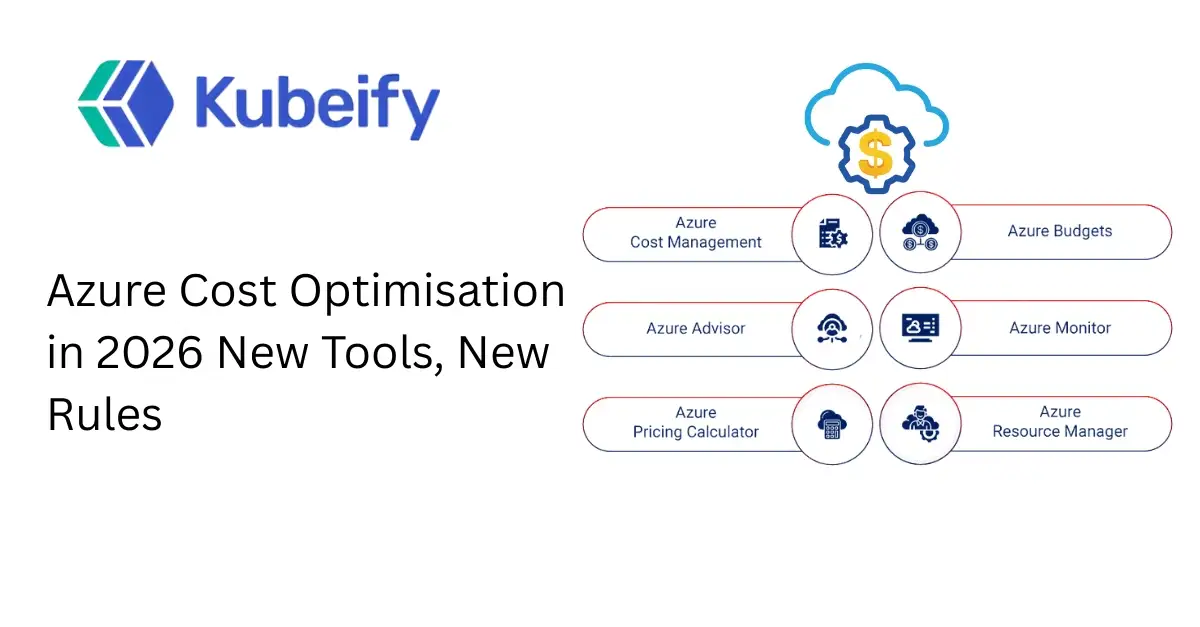
Azure Cost Optimisation in 2026 New Tools, New Rules
Table of Contents
-
Introduction: Why Azure Cost Optimization Matters More in 2026
-
The New Reality of Azure Pricing in 2026
-
Azure Cost Optimization vs Cost Cutting: Understanding the Difference
-
Key Azure Cost Challenges Enterprises Face in 2026
-
New Azure Cost Optimization Tools Introduced by Microsoft
-
Azure FinOps Maturity Model for 2026
-
Smart Azure Architecture Patterns for Cost Efficiency
-
Rightsizing Azure Resources the Right Way
-
Reserved Instances vs Savings Plans: What Works in 2026
-
Kubernetes and Azure Cost Optimization (AKS Focus)
-
Storage Cost Optimization Strategies in Azure
-
Network and Data Transfer Cost Control
-
Automation and Policy-Driven Cost Governance
-
Monitoring, Alerts, and Forecasting Azure Spend
-
Common Azure Cost Optimization Mistakes to Avoid
-
Building a Sustainable Azure Cost Optimization Strategy
-
Future Trends: Where Azure Cost Optimization Is Headed
-
Frequently Asked Questions (FAQs)
1. Introduction: Why Azure Cost Optimization Matters More in 2026
Azure cost optimization is no longer a “nice-to-have” practice. In 2026, it has become a business-critical discipline that directly impacts profitability, scalability, and engineering velocity.
Organizations moving aggressively to cloud-native architectures, AI workloads, and distributed systems are discovering a harsh truth: Azure costs grow silently and exponentially if left unmanaged. What once started as a predictable monthly bill now fluctuates daily due to autoscaling, consumption-based services, and global data movement.
In 2026, cost optimization is not about cutting resources blindly. It is about spending smarter, aligning cloud usage with business value, and ensuring every Azure service justifies its cost.
This article breaks down new Azure cost optimization rules, tools, and strategies you need to stay ahead.
2. The New Reality of Azure Pricing in 2026
Azure’s pricing model in 2026 is more granular than ever. While this flexibility enables innovation, it also introduces complexity.
Key changes impacting Azure cost optimization include:
-
Increased adoption of consumption-based services
-
Higher usage of AI, ML, and analytics workloads
-
Region-based pricing variations
-
Rising data egress and inter-service communication costs
Azure customers now pay not only for compute and storage but also for:
-
API calls
-
Data movement
-
Idle resources
-
Underutilized reservations
Without strong governance, these costs compound quickly.
3. Azure Cost Optimization vs Cost Cutting: Understanding the Difference
One of the biggest misconceptions in cloud finance is equating cost optimization with cost reduction.
Cost Cutting
-
Shutting down resources randomly
-
Reducing performance
-
Risking outages
-
Short-term savings, long-term damage
Azure Cost Optimization
-
Matching workloads to the right Azure services
-
Paying only for what you use
-
Improving performance-per-dollar
-
Enabling sustainable growth
In 2026, Azure cost optimization is about maximizing ROI, not minimizing spend.
4. Key Azure Cost Challenges Enterprises Face in 2026
Organizations struggle with Azure costs due to several recurring issues:
-
Over-provisioned virtual machines
-
Idle Azure resources forgotten after testing
-
Poor visibility across subscriptions
-
Lack of ownership and accountability
-
Misuse of premium SKUs where standard tiers suffice
-
Uncontrolled Kubernetes scaling
-
Inefficient storage lifecycle policies
These challenges require process, tooling, and culture changes, not just technical fixes.
5. New Azure Cost Optimization Tools Introduced by Microsoft
Microsoft has significantly enhanced its Azure cost optimization ecosystem.
Azure Cost Management + Billing (2026 Enhancements)
-
Real-time cost anomaly detection
-
Predictive spend forecasting using AI
-
Granular cost allocation tags
-
Workload-level cost visibility
Azure Advisor Improvements
-
Deeper rightsizing recommendations
-
Carbon-aware cost optimization
-
Service-specific optimization insights
Azure Policy for Cost Governance
-
Enforce budget limits automatically
-
Block expensive SKUs by default
-
Control resource creation across teams
These tools form the foundation of modern Azure cost management strategies.
6. Azure FinOps Maturity Model for 2026
FinOps has become essential for Azure cost optimization.
Stage 1: Inform
-
Gain visibility into Azure spend
-
Track costs by team, service, and environment
-
Enable basic tagging
Stage 2: Optimize
-
Rightsize resources
-
Apply Reserved Instances and Savings Plans
-
Automate shutdowns
Stage 3: Operate
-
Continuous optimization
-
Cost accountability across teams
-
Business-aligned cloud budgets
In 2026, organizations that fail to adopt FinOps struggle to scale sustainably.
7. Smart Azure Architecture Patterns for Cost Efficiency
Architecture decisions have a massive impact on Azure costs.
Cost-Efficient Design Principles
-
Prefer PaaS over IaaS
-
Use serverless where applicable
-
Design stateless workloads
-
Optimize for horizontal scaling
-
Use caching strategically
Well-designed architectures reduce operational overhead and minimize unnecessary Azure spend.
8. Rightsizing Azure Resources the Right Way
Rightsizing remains one of the highest ROI Azure cost optimization techniques.
Key steps:
-
Analyze CPU, memory, and disk usage
-
Downsize underutilized VMs
-
Move from always-on to autoscaling
-
Replace legacy VM workloads with managed services
Rightsizing should be continuous, not a one-time exercise.
9. Reserved Instances vs Savings Plans: What Works in 2026
Azure offers two major commitment-based discounts:
Azure Reserved Instances
-
Best for predictable workloads
-
High discounts
-
Less flexibility
Azure Savings Plans
-
More flexible
-
Works across VM families
-
Ideal for dynamic environments
In 2026, Savings Plans dominate due to hybrid and cloud-native workloads.
10. Kubernetes and Azure Cost Optimization (AKS Focus)
AKS (Azure Kubernetes Service) is powerful but expensive if unmanaged.
AKS Cost Optimization Strategies
-
Use cluster autoscaler properly
-
Right-size node pools
-
Separate system and workload nodes
-
Use spot nodes for non-critical workloads
-
Monitor pod-level resource usage
AKS cost optimization requires collaboration between platform, DevOps, and finance teams.
11. Storage Cost Optimization Strategies in Azure
Azure storage costs are often underestimated.
Best practices include:
-
Use lifecycle policies
-
Move cold data to Archive tier
-
Delete unused snapshots
-
Avoid over-replication
-
Optimize backup retention
Storage optimization is low-risk and highly effective.
12. Network and Data Transfer Cost Control
Data movement is one of the fastest-growing Azure cost components.
Optimization tips:
-
Minimize cross-region traffic
-
Co-locate services in the same region
-
Use CDN for public traffic
-
Monitor egress costs closely
Ignoring network costs can derail your Azure budget.
13. Automation and Policy-Driven Cost Governance
Manual cost control does not scale.
Automation ideas:
-
Auto-shutdown non-production environments
-
Budget-based alerts
-
Policy enforcement for SKUs and regions
-
Scheduled cleanup of unused resources
Automation ensures consistent Azure cost optimization across teams.
14. Monitoring, Alerts, and Forecasting Azure Spend
Visibility is the backbone of optimization.
Key metrics to track:
-
Daily spend trends
-
Cost anomalies
-
Forecast vs actual usage
-
Cost per application or service
Modern Azure cost optimization relies on proactive alerts, not monthly surprises.
15. Common Azure Cost Optimization Mistakes to Avoid
-
Over-committing to Reserved Instances
-
Ignoring non-production environments
-
Treating cost optimization as a one-time task
-
Lack of ownership
-
Cutting costs without understanding impact
Avoiding these mistakes saves both money and reliability.
16. Building a Sustainable Azure Cost Optimization Strategy
A sustainable approach includes:
-
Executive buy-in
-
FinOps practices
-
Automation
-
Continuous education
-
Tooling and dashboards
-
Engineering accountability
Azure cost optimization is a long-term discipline, not a sprint.
17. Future Trends: Where Azure Cost Optimization Is Headed
Looking beyond 2026:
-
AI-driven cost optimization
-
Carbon-aware pricing
-
Business-value-based cloud spend
-
Autonomous cloud governance
-
Deeper integration with CI/CD pipelines
Organizations that adapt early gain a competitive advantage.
18. Frequently Asked Questions (FAQs)
1. What is Azure cost optimization?
Azure cost optimization is the practice of reducing unnecessary cloud spending while maximizing performance, scalability, and business value.
2. How often should Azure cost optimization be done?
It should be a continuous process, not a one-time activity.
3. Are Azure Reserved Instances still worth it in 2026?
Yes, but Savings Plans offer more flexibility for dynamic workloads.
4. How does FinOps help with Azure cost management?
FinOps aligns engineering, finance, and business teams to manage cloud spend efficiently.
5. What is the biggest cause of Azure overspending?
Over-provisioned resources and lack of visibility.
6. Can automation really reduce Azure costs?
Yes, automation prevents human error and enforces cost controls at scale.
7. How do I optimize AKS costs?
Use autoscaling, right-sized nodes, spot instances, and workload monitoring.
8. Is Azure Cost Management free?
Yes, Azure provides Cost Management tools at no extra cost.
9. What role do tags play in Azure cost optimization?
Tags enable accurate cost allocation and accountability.
10. What is the future of Azure cost optimization?
AI-driven optimization, smarter governance, and value-based cloud spending.existing pods.