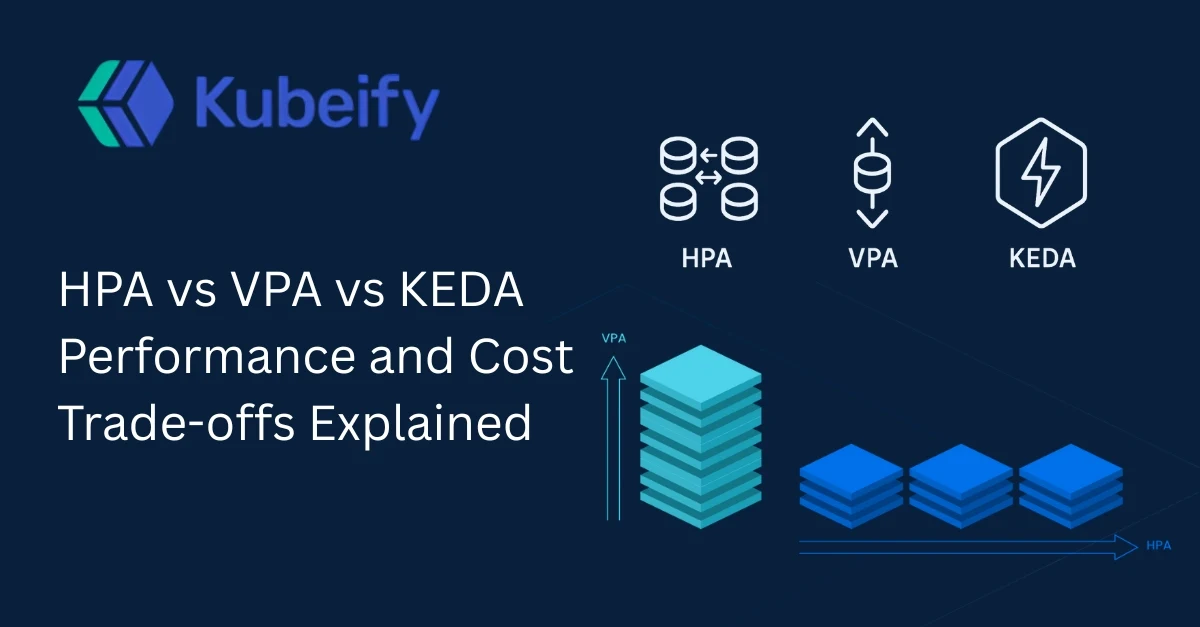
HPA vs VPA vs KEDA Performance and Cost Trade-offs Explained
Table of Contents
-
Introduction to Kubernetes Autoscaling
-
Why Autoscaling Matters for Performance and Cost
-
Understanding Kubernetes Autoscaling Fundamentals
-
Horizontal Pod Autoscaler (HPA)
How HPA Works
Performance Impact of HPA
Cost Implications of HPA
When to Use HPA
-
Vertical Pod Autoscaler (VPA)
How VPA Works
Performance Impact of VPA
Cost Implications of VPA
When to Use VPA
-
Kubernetes Event-Driven Autoscaling (KEDA)
How KEDA Works
Performance Impact of KEDA
Cost Implications of KEDA
When to Use KEDA
-
HPA vs VPA vs KEDA: Feature-by-Feature Comparison
-
Performance Trade-offs Explained
-
Cost Optimization Trade-offs Explained
-
Real-World Use Cases and Architecture Patterns
-
Choosing the Right Autoscaling Strategy
-
Best Practices for Autoscaling in Kubernetes
-
Common Mistakes and How to Avoid Them
-
The Future of Kubernetes Autoscaling
-
Conclusion
-
Frequently Asked Questions (FAQ)
1. Introduction to Kubernetes Autoscaling
Kubernetes autoscaling has become a cornerstone of modern cloud-native infrastructure. As applications grow more dynamic and traffic patterns become increasingly unpredictable, static resource allocation often leads to either wasted cloud spend or poor application performance. Autoscaling solves this challenge by automatically adjusting resources based on real-time demand.
Among the available autoscaling mechanisms in Kubernetes, Horizontal Pod Autoscaler (HPA), Vertical Pod Autoscaler (VPA), and Kubernetes Event-Driven Autoscaling (KEDA) are the most widely adopted. Each solves a different problem, and each comes with distinct performance and cost trade-offs.
This article provides a deep, practical comparison of HPA vs VPA vs KEDA, focusing on performance, cost efficiency, and real-world decision-making. If you are running workloads in production Kubernetes clusters, understanding these trade-offs is essential.
2. Why Autoscaling Matters for Performance and Cost
Autoscaling directly influences two of the most critical metrics in any production system: application performance and infrastructure cost. Without autoscaling, teams are forced to overprovision resources to handle peak traffic, resulting in idle capacity during normal usage.
From a performance perspective, insufficient resources cause increased latency, request failures, and poor user experience. From a cost perspective, unused CPU and memory translate directly into wasted cloud spend.
Effective Kubernetes autoscaling allows you to:
-
Maintain consistent application performance during traffic spikes
-
Reduce infrastructure costs during low-demand periods
-
Improve reliability and availability
-
Support unpredictable or event-driven workloads
However, not all autoscaling methods are created equal. Choosing the wrong strategy can introduce instability, unnecessary restarts, or unexpected costs.
3. Understanding Kubernetes Autoscaling Fundamentals
Before diving into HPA, VPA, and KEDA, it is important to understand the layers at which autoscaling operates in Kubernetes.
Kubernetes autoscaling generally happens at three levels:
-
Pod-level scaling (horizontal or vertical)
-
Node-level scaling (cluster autoscaler)
-
Event-driven scaling (external signals)
HPA and VPA operate at the pod level, while KEDA integrates external event sources into Kubernetes scaling decisions. These tools are often complementary rather than mutually exclusive.
Autoscaling decisions are based on metrics such as CPU usage, memory usage, custom application metrics, or external event counts like queue length.
4. Horizontal Pod Autoscaler (HPA)
How HPA Works
The Horizontal Pod Autoscaler automatically increases or decreases the number of pod replicas based on observed metrics. Most commonly, HPA uses CPU or memory utilization, but it can also scale based on custom metrics via the Kubernetes Metrics API.
When the average metric value across pods exceeds the configured threshold, HPA adds more pods. When usage drops, it scales the replicas down.
Performance Impact of HPA
HPA improves performance by distributing load across multiple pod instances. This is particularly effective for stateless applications such as APIs, web services, and microservices.
Because scaling is horizontal, there is no disruption to running pods. New pods are added gradually, which helps maintain stability under load.
However, HPA performance depends heavily on how quickly new pods can start. Slow container startup times can reduce its effectiveness during sudden traffic spikes.
Cost Implications of HPA
From a cost perspective, HPA is predictable and transparent. Costs increase linearly with the number of running pods and decrease when demand drops.
The downside is overprovisioning at the pod level. Each pod must be sized to handle peak per-pod load, which can result in unused CPU and memory.
When to Use HPA
HPA is ideal when:
-
Applications are stateless
-
Traffic patterns are gradual rather than bursty
-
Metrics like CPU and memory correlate well with load
5. Vertical Pod Autoscaler (VPA)
How VPA Works
Vertical Pod Autoscaler adjusts the CPU and memory requests and limits of individual pods based on historical usage patterns. Instead of adding more pods, VPA resizes existing pods.
VPA continuously analyzes resource consumption and recommends or applies optimal resource settings.
Performance Impact of VPA
VPA improves performance by ensuring pods have the right amount of CPU and memory. This is especially valuable for workloads with unpredictable or uneven resource usage.
However, resizing a pod requires restarting it. This can introduce brief disruptions, making VPA less suitable for latency-sensitive workloads.
Cost Implications of VPA
VPA can significantly reduce wasted resources by right-sizing pods. This leads to better bin-packing on nodes and lower overall infrastructure costs.
The trade-off is reduced elasticity during sudden load spikes, as resizing pods takes time and may cause restarts.
When to Use VPA
VPA works best for:
-
Stateful workloads
-
Batch jobs
-
Services with stable traffic but variable resource needs
6. Kubernetes Event-Driven Autoscaling (KEDA)
How KEDA Works
KEDA extends Kubernetes autoscaling by reacting to external events. Instead of relying only on CPU or memory, KEDA scales workloads based on signals such as:
-
Message queue length
-
Kafka lag
-
Database metrics
-
Cloud service events
KEDA can scale workloads down to zero and scale them up instantly when events occur.
Performance Impact of KEDA
KEDA excels at handling bursty and event-driven workloads. It enables near-instant scaling in response to demand, which is critical for serverless-style architectures.
Because it can scale from zero, cold-start latency must be considered, especially for user-facing applications.
Cost Implications of KEDA
KEDA offers excellent cost efficiency by allowing workloads to consume zero resources when idle. This makes it ideal for background processing and asynchronous workloads.
Costs scale directly with actual event volume, reducing waste significantly.
When to Use KEDA
KEDA is best suited for:
-
Event-driven architectures
-
Background workers
-
Queue-based processing systems
7. HPA vs VPA vs KEDA: Feature-by-Feature Comparison
| Feature | HPA (Horizontal Pod Autoscaler) | VPA (Vertical Pod Autoscaler) | KEDA |
|---|---|---|---|
| Scaling Type | Horizontal | Vertical | Event-driven |
| Pod Restarts | No | Yes | Sometimes |
| Scale to Zero | No | No | Yes |
| Best for Stateless Apps | Yes | Limited | Yes |
| Cost Efficiency | Medium | High | Very High |
8. Performance Trade-offs Explained
HPA offers stability and smooth scaling but may lag during sudden spikes. VPA improves per-pod performance but introduces restarts. KEDA delivers rapid responsiveness but may suffer from cold starts.
Choosing the right autoscaler depends on workload behavior, latency tolerance, and traffic predictability.
9. Cost Optimization Trade-offs Explained
From a cost perspective, VPA and KEDA usually outperform HPA. VPA reduces waste through right-sizing, while KEDA eliminates idle costs entirely.
However, operational complexity and observability requirements also influence total cost of ownership.
10. Real-World Use Cases and Architecture Patterns
Many production systems combine autoscaling approaches. For example, HPA can handle steady traffic while KEDA manages background processing workloads.
11. Choosing the Right Autoscaling Strategy
There is no universal winner between HPA, VPA, and KEDA. The best approach often involves combining them strategically based on workload characteristics.
12. Best Practices for Autoscaling in Kubernetes
-
Use realistic resource requests
-
Monitor scaling behavior continuously
-
Test scaling under load
-
Avoid aggressive scaling thresholds
13. Common Mistakes and How to Avoid Them
Common mistakes include relying only on CPU metrics, ignoring startup time, and enabling VPA without disruption planning.
14. The Future of Kubernetes Autoscaling
Autoscaling is evolving toward predictive, AI-driven models that combine metrics, events, and historical patterns.
15. Conclusion
HPA, VPA, and KEDA each solve different scaling challenges. Understanding their performance and cost trade-offs allows teams to design efficient, resilient Kubernetes platforms.
16. Frequently Asked Questions (FAQ)
1. What is the main difference between HPA and VPA?
HPA scales the number of pods, while VPA adjusts pod resource sizes.
2. Can HPA and VPA be used together?
Yes, but with careful configuration to avoid conflicts.
3. Is KEDA suitable for production workloads?
Yes, especially for event-driven and asynchronous workloads.
4. Does VPA cause downtime?
VPA may restart pods, which can cause brief disruptions.
5. Which autoscaler is best for cost optimization?
KEDA typically offers the highest cost efficiency.
6. Can KEDA replace HPA?
Not always. KEDA complements HPA rather than fully replacing it.
7. What metrics does HPA support?
CPU, memory, and custom application metrics.
8. Is KEDA difficult to operate?
KEDA adds complexity but provides powerful scaling capabilities.
9. Should startups use autoscaling from day one?
Yes, to avoid performance and cost issues as they scale.
10. What is the future of Kubernetes autoscaling?
Predictive and intelligent autoscaling driven by AI and ML.