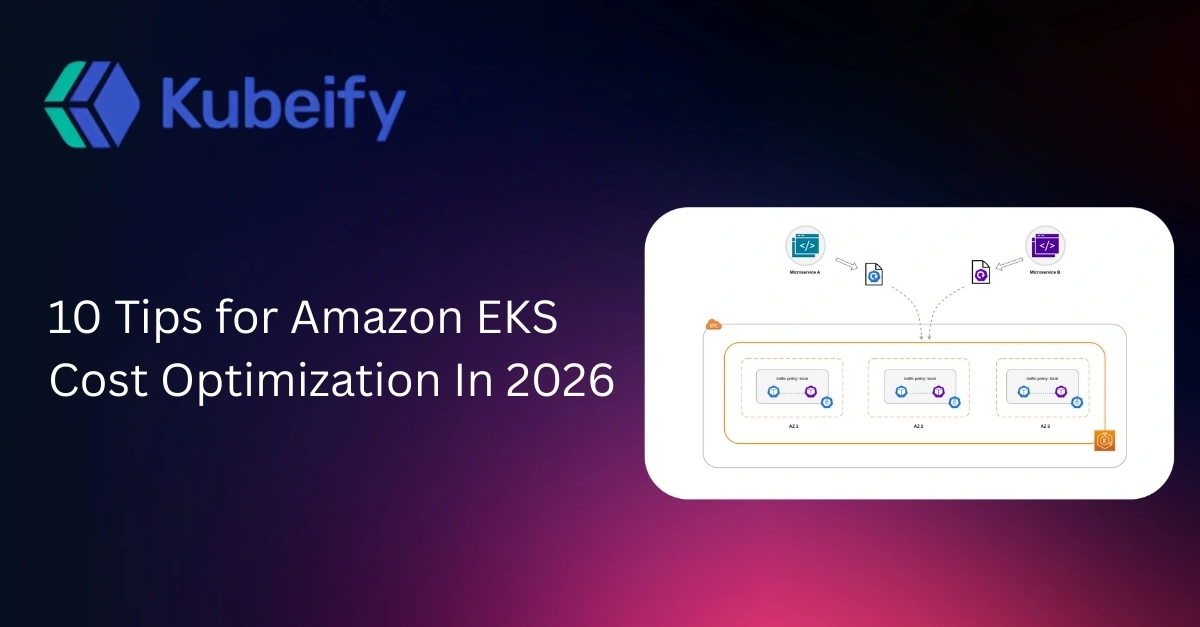
10 Tips for Amazon EKS Cost Optimization In 2026
Table of Contents
-
Understanding Amazon EKS Cost Components in 2026
-
Why EKS Costs Spiral Out of Control
-
Tip #1: Right-Size Pods Using Real Usage, Not Requests
-
Tip #2: Adopt Cluster Autoscaler + Karpenter Strategically
-
Tip #3: Use Spot Instances the Right Way (Without Downtime)
-
Tip #4: Optimize Node Groups and Instance Families
-
Tip #5: Reduce Control Plane and Cluster Sprawl
-
Tip #6: Optimize Storage Costs (EBS, CSI, and Snapshots)
-
Tip #7: Control Networking and Load Balancer Expenses
-
Tip #8: Use Namespace-Level Cost Allocation and Budgets
-
Tip #9: Implement Kubernetes-Native Cost Monitoring
-
Tip #10: Build a FinOps Culture Around EKS
-
Common Mistakes in Amazon EKS Cost Optimization
-
Future Trends: EKS Cost Optimization in 2026 and Beyond
-
FAQs on Amazon EKS Cost Optimization
Understanding Amazon EKS Cost Components in 2026
Before optimizing anything, you need clarity on where your money is actually going.
Amazon EKS costs typically fall into five buckets:
1. EKS Control Plane
AWS charges a fixed hourly fee per cluster. While this cost seems small, it adds up fast in environments with multiple clusters per team or per environment.
2. Compute Costs
This includes EC2 instances, Spot Instances, Graviton nodes, and managed node groups. For most teams, compute accounts for 60–70% of total EKS spend.
3. Storage Costs
Persistent volumes, EBS gp3/io2 volumes, snapshots, and orphaned disks quietly inflate monthly bills.
4. Networking Costs
Load balancers, NAT gateways, inter-AZ traffic, and cross-region data transfer are often overlooked until finance raises a red flag.
5. Add-ons and Observability
Ingress controllers, monitoring agents, logging pipelines, and service meshes all consume resources even when traffic is low.
Understanding these layers is the foundation of effective Amazon EKS cost optimization.
Why EKS Costs Spiral Out of Control
EKS itself is not expensive. Poor defaults are.
Here’s why costs tend to explode:
-
Developers over-request CPU and memory “just in case”
-
Clusters are created per team, per feature, per sprint
-
Spot instances are avoided due to fear of instability
-
Autoscaling is enabled but misconfigured
-
No one owns cost accountability
In 2026, cloud waste is rarely technical—it’s organizational.
Tip #1: Right-Size Pods Using Real Usage, Not Requests
The Hidden Cost of Over-Provisioning
Kubernetes schedules based on requests, not actual usage. If a pod requests 2 vCPUs but uses only 200m CPU, you’re paying for idle capacity.
This is one of the largest silent cost drivers in Amazon EKS.
How to Fix It
-
Collect real CPU and memory usage using:
-
Metrics Server
-
Prometheus
-
AWS Container Insights
-
Compare requests vs. p95 usage
-
Reduce requests gradually, not aggressively
Best Practice for 2026
Use Vertical Pod Autoscaler (VPA) in recommendation mode. Let it observe workloads and suggest optimal values without auto-applying changes.
This alone can cut 20–40% of EKS compute costs.
Tip #2: Adopt Cluster Autoscaler + Karpenter Strategically
Autoscaling is powerful but only when tuned correctly.
Cluster Autoscaler (CA)
Cluster Autoscaler removes underutilized nodes when:
-
Pods can be rescheduled elsewhere
-
Nodes remain empty for a defined time
Misconfiguration often causes:
-
Slow scale-down
-
Excess buffer nodes
-
Unused instance types
Karpenter in 2026
Karpenter has matured significantly and is now production-ready for most workloads.
Key benefits:
-
Launches right-sized instances per pod
-
Supports Spot + On-Demand blending
-
Reduces bin-packing inefficiencies
Cost Impact
Teams using Karpenter correctly report:
-
Faster scaling
-
Lower idle capacity
-
Up to 35% cost savings compared to static node groups
Tip #3: Use Spot Instances the Right Way (Without Downtime)
Spot Instances are no longer risky misusing them is.
Why Teams Still Avoid Spot
-
Fear of pod eviction
-
Stateful workloads concerns
-
Poor interruption handling
How to Use Spot Safely
-
Run stateless workloads on Spot
-
Use multiple instance families
-
Set interruption handling with:
-
Pod Disruption Budgets
-
Graceful termination hooks
2026 Recommendation
Aim for 50–70% Spot coverage for:
-
CI/CD runners
-
Batch jobs
-
APIs with autoscaling
Spot alone can reduce Amazon EKS compute costs by up to 70%.
Tip #4: Optimize Node Groups and Instance Families
Using a single instance type across your cluster is expensive and inefficient.
Common Mistake
Running everything on m5.large or m6i.large because “it works”.
Smarter Approach
-
Use:
-
Compute-optimized nodes for CPU-heavy workloads
-
Memory-optimized nodes for data processing
-
Mix Graviton (c7g, m7g) with x86
Graviton in 2026
Most popular workloads now support ARM. Graviton offers:
-
Better price-performance
-
Lower energy cost
-
15–25% cheaper compute
Tip #5: Reduce Control Plane and Cluster Sprawl
Every EKS cluster costs money—even when idle.
The Cluster Explosion Problem
Teams often create:
-
Separate clusters per environment
-
Per-region clusters without traffic
-
Temporary clusters never deleted
Optimization Strategy
-
Consolidate non-prod environments
-
Use namespaces instead of clusters
-
Automate cluster lifecycle cleanup
This reduces:
-
Control plane costs
-
Observability overhead
-
Operational complexity
Tip #6: Optimize Storage Costs (EBS, CSI, and Snapshots)
Storage waste is sneaky.
Where Money Leaks
-
Over-provisioned Persistent Volumes
-
Orphaned EBS volumes
-
Snapshot sprawl
Best Practices
-
Use gp3 instead of gp2
-
Define PVC size limits carefully
-
Automate cleanup of unused volumes
-
Audit snapshots monthly
Storage optimization can save 10–15% of total EKS spend.
Tip #7: Control Networking and Load Balancer Expenses
AWS networking costs can quietly rival compute costs.
Costly Components
-
NAT Gateways
-
Network Load Balancers
-
Cross-AZ traffic
Optimization Techniques
-
Use Ingress controllers efficiently
-
Share load balancers across services
-
Reduce cross-AZ chatter where possible
In 2026, network optimization is FinOps gold.
Tip #8: Use Namespace-Level Cost Allocation and Budgets
If you can’t see who’s spending, you can’t optimize.
What to Do
-
Tag resources properly
-
Allocate costs per namespace
-
Set budgets per team
This creates accountability and reduces waste organically.
Tip #9: Implement Kubernetes-Native Cost Monitoring
CloudWatch alone is not enough.
Tools to Consider
-
Kubecost
-
OpenCost
-
AWS Cost Explorer (EKS-aware views)
These tools help:
-
Identify idle workloads
-
Forecast costs
-
Attribute spend accurately
Tip #10: Build a FinOps Culture Around EKS
The biggest savings come from behavior change, not tooling.
What High-Performing Teams Do
-
Review costs weekly
-
Include cost in architecture decisions
-
Treat cost like performance and security
Amazon EKS cost optimization in 2026 is a team sport.
Common Mistakes in Amazon EKS Cost Optimization
-
Blindly downsizing without usage data
-
Avoiding Spot entirely
-
Overusing clusters instead of namespaces
-
Ignoring networking costs
-
No ownership of cloud spend
Avoid these, and you’re already ahead.
Future Trends: EKS Cost Optimization in 2026 and Beyond
Looking forward:
-
AI-driven autoscaling decisions
-
Predictive cost anomaly detection
-
Deeper FinOps-Kubernetes integration
-
Carbon-aware scheduling
Cost optimization is becoming intelligent, proactive, and automated.
Frequently Asked Questions (FAQs)
1. What is the biggest cost driver in Amazon EKS?
Compute costs from EC2 nodes, especially over-provisioned workloads.
2. Is Amazon EKS more expensive than self-managed Kubernetes?
Not when optimized properly. Managed control plane reduces operational overhead.
3. How much can I save with Spot Instances?
Up to 70% on compute costs if implemented correctly.
4. Are Graviton instances safe for production EKS workloads?
Yes. Most modern workloads fully support ARM in 2026.
5. How often should I review EKS costs?
Weekly for active environments, monthly at minimum.
6. Does Karpenter replace Cluster Autoscaler?
In many cases, yes but both can coexist depending on needs.
7. What tools are best for EKS cost visibility?
Kubecost, OpenCost, and AWS Cost Explorer.
8. Can namespaces really replace multiple clusters?
For many non-prod and internal workloads, absolutely.
9. How do I prevent storage cost leaks?
Regular audits, automated cleanup, and right-sized PVCs.
10. Is EKS cost optimization a one-time task?
No. It’s an ongoing practice tied to scaling, traffic, and team behavior.